Visual Studio 十月更新:Git 对比、批量冲突解决与新 Copilot 聊天
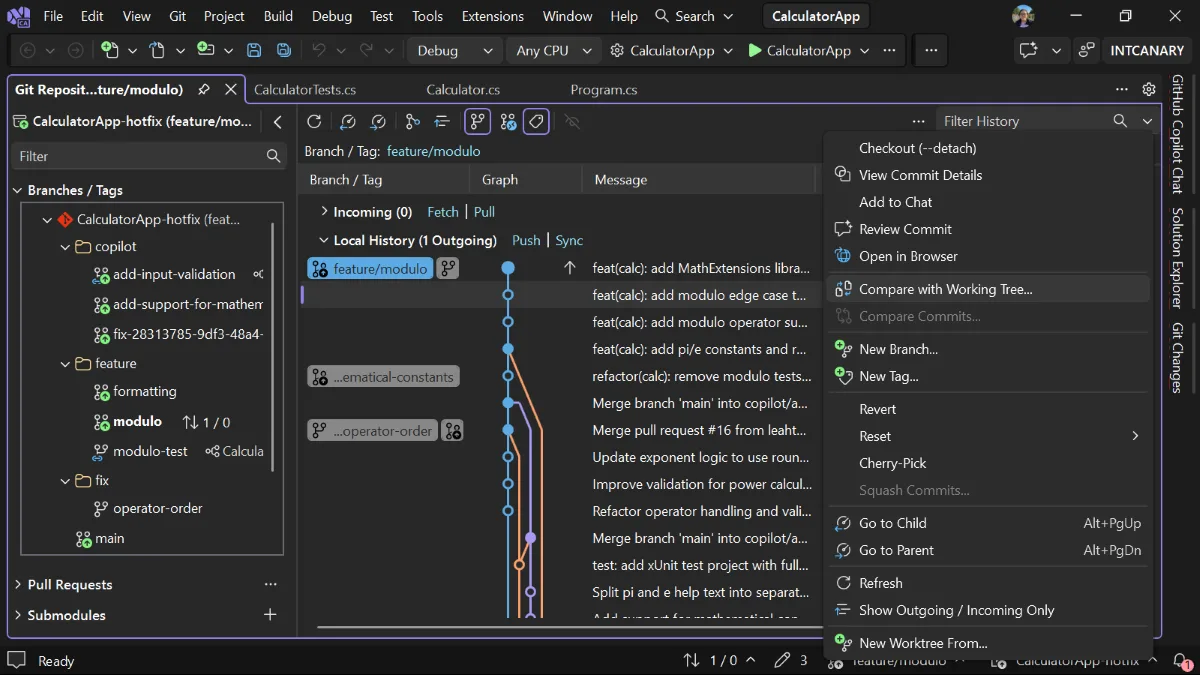
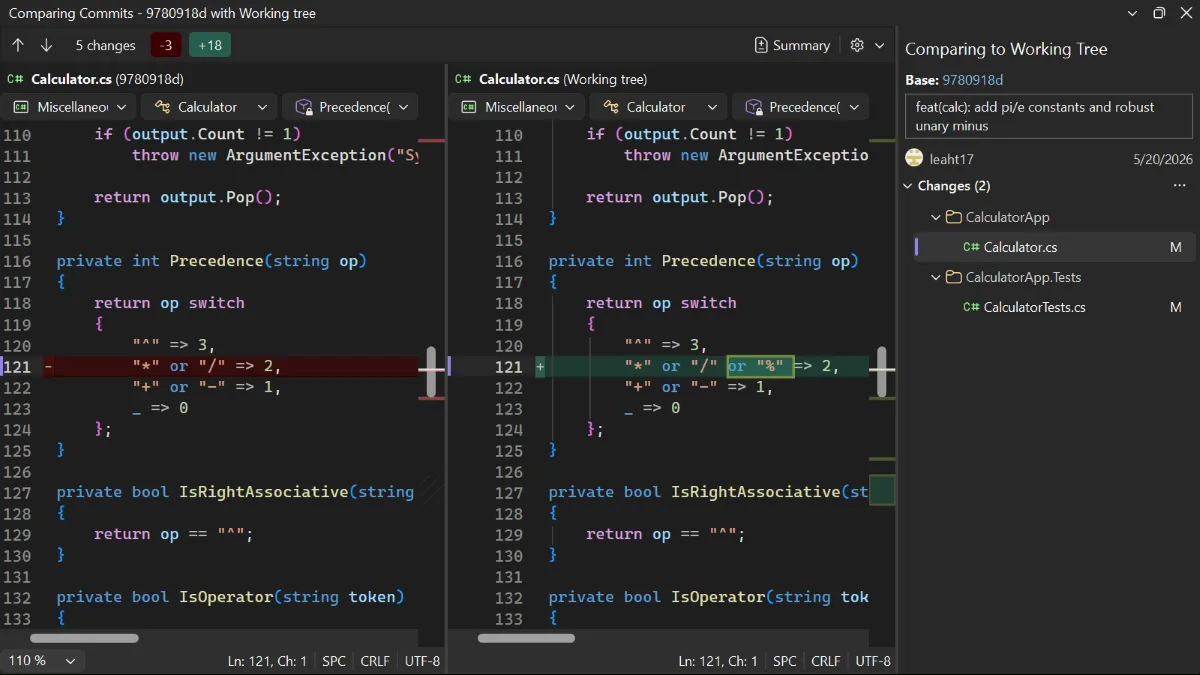
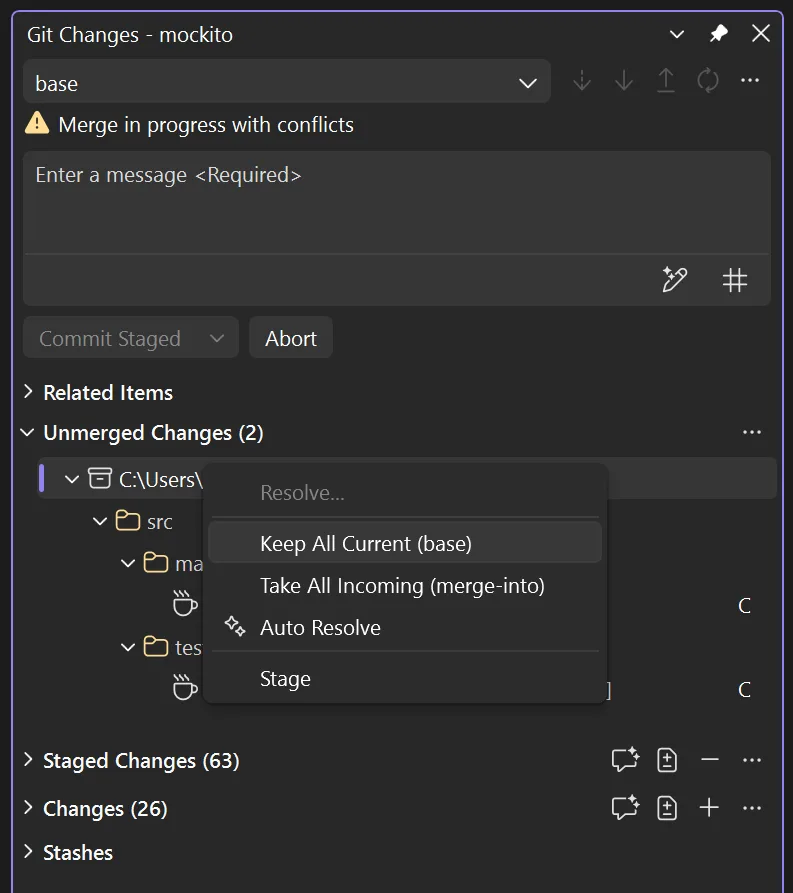
- 核心更新:Visual Studio 2026 Stable Channel 十月更新支持将历史提交与当前工作树对比,包含未提交修改;在 Git Changes 中可对多个冲突文件、文件夹或仓库根目录批量选择 Keep All Current 或 Take All Incoming。
- Copilot 体验:新的 GitHub Copilot Chat 基于 Copilot SDK,覆盖 Ask 模式、Agent 模式与底层聊天基础设施,并与 Copilot CLI 和 GitHub Copilot 应用共享 SDK;官方称其支持更长会话与更有效的提示缓存。
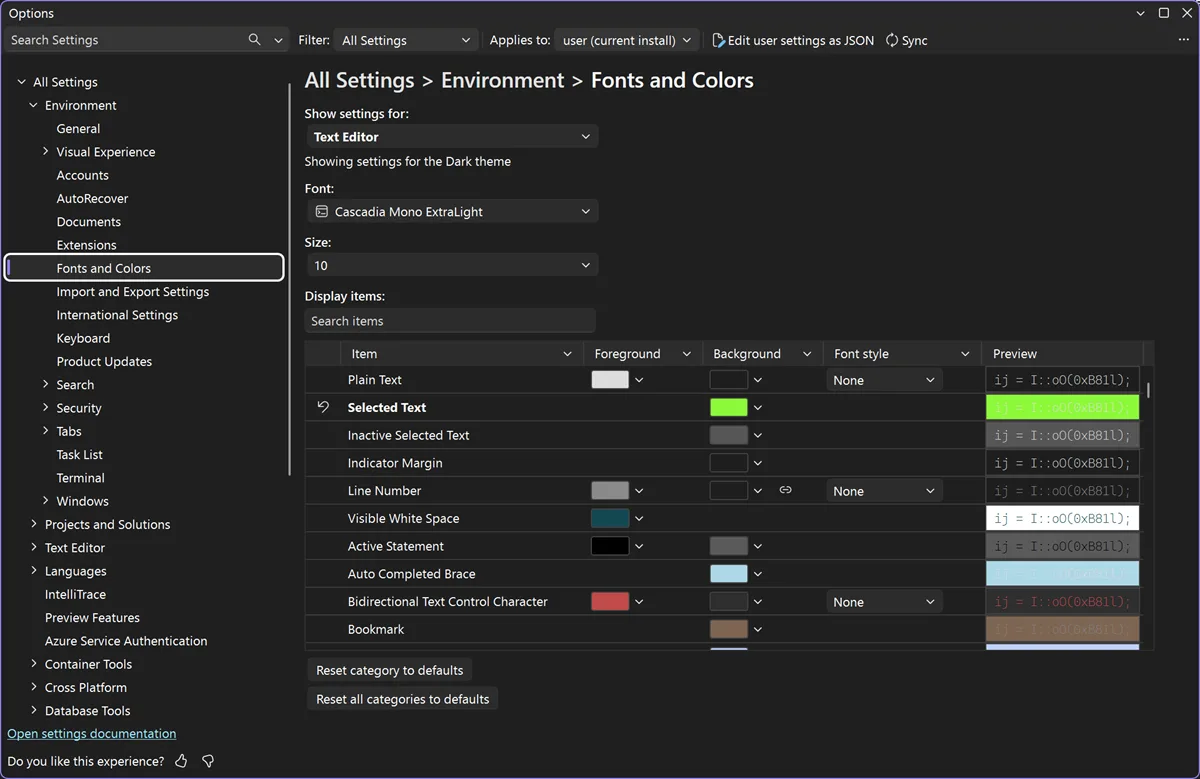
- 其他改动:Hot Exit 可在关闭 IDE 后保留未保存文件与编辑,重新打开时恢复文档、标签与窗口布局;新增 Ctrl+Shift+PgUp/PgDn 移动标签页快捷键;Fonts and Colors 设置页改为基于 Unified Settings,支持搜索与内联预览。
- 行业意义:更新把 Copilot Chat 与 Copilot CLI、Copilot 应用统一到同一 SDK 基础,并把 Git 冲突处理、未保存工作恢复与设置搜索放进日常编辑流程。对使用 AI 编码工具的团队,IDE 能否在长会话、批量冲突与会话恢复中保持上下文,直接影响工具链的摩擦成本。 🔗 Visual Studio Blog